The Research Pipeline: How I Use Perplexity and Claude Together
Most people use AI tools in isolation. Here's the workflow I use daily — Perplexity for sourced research, Claude for deep analysis — and why the combination is worth more than either tool alone.
 Fabian Mösli
 Reading Preferences
Key Takeaways
- • Don't run everything through one AI. I use Perplexity for web-sourced, cited research and Claude for the reasoning, analysis, and writing that comes after.
- • Before I search Perplexity, I ask Claude to write the research prompt for me — a brief with 10-15 specific questions that sends Perplexity's parallel agents after every angle at once.
- • I export the Perplexity results as clean Markdown before handing them to Claude. Markdown has no invisible layout garbage, so it's the easiest format for an LLM to read and reason about.
In this guide
Most people pick one AI tool and use it for everything. They’ll do their research in ChatGPT, their writing in ChatGPT, their analysis in ChatGPT. Or they’ll do the same with Claude. Or Gemini. One tool, one chat window, one conversation.
That’s like using a Swiss army knife to chop vegetables. Technically possible. Not ideal.
I use different tools for different jobs, and the combination I reach for most often is Perplexity for research and Claude for everything that comes after. Not because I’m loyal to brands, but because each tool has a genuine strength that the other doesn’t.
Here’s the workflow.
Step 1: Craft your research prompt with Claude
This is the step most people skip — and it’s the one that makes the biggest difference.
When you have a research question, your instinct is to open Perplexity and type it in. “What are the regulatory requirements for healthcare staffing in Switzerland?” Seems reasonable. But you’re leaving enormous value on the table, because you’re treating Perplexity like a search engine. It’s not.
Perplexity Deep Research has its own thinking model under the hood. When you give it a prompt, it doesn’t just run one search. It spawns dozens of parallel research agents, each attacking a different angle of your question at the same time. They search independently, compare findings, resolve contradictions, and pull everything into a single answer. It’s an entire research team working in parallel, and most people give that team a one-sentence brief.
So start in Claude and ask it to write the Perplexity prompt for you.
Here’s what I do:
“I need to research [topic]. Help me craft a comprehensive research prompt for Perplexity Deep Research. Perplexity will spawn many parallel research agents, so the prompt should include 10-15 specific questions that attack the topic from different angles. Include constraints on what sources to prioritize, what time period to focus on, what to exclude, and specify the desired output format.”
Claude will produce something like this (example for a healthcare staffing research task):
Research the regulatory landscape for temporary healthcare staffing platforms in Switzerland. Answer the following questions:
1. What are the current SECO guidelines for private employment agencies in healthcare? 2. Which cantonal licensing requirements exist, and how do they differ across German-speaking cantons? 3. What data protection certifications are mandatory for platforms handling healthcare worker personal data? 4. How has the regulatory environment changed since 2024? 5. What are the penalties for non-compliance? 6. Which recent enforcement actions have been taken against staffing platforms? 7. How do Swiss requirements compare to EU staffing regulations? 8. What industry associations set standards in this space? 9. Are there pending legislative proposals that would affect this market? 10. What compliance frameworks do established players like Adecco and Randstad use in Switzerland?
Prioritize official government sources, industry body publications, and legal analyses published after January 2025. Exclude generic blog posts and marketing content. Format as structured Markdown with clear section headings, bullet points for key requirements, and footnoted sources.
See the difference? Instead of one vague question, you’re handing Perplexity a full research brief. Each of those questions becomes a separate thread its agents can pursue in parallel. The constraints filter out noise. The output format ensures you get something Claude can work with in the next step.
It takes two minutes to generate this prompt. The research that comes back is dramatically better.
Step 2: Research with Perplexity
Now you take that prompt and paste it into Perplexity Deep Research.
Why Perplexity and not Claude or ChatGPT? Because Perplexity was built for research. Every answer comes with cited sources. It searches the actual web, reads the actual pages, and synthesizes what it finds. When it tells me something, I can click through and verify. That matters when the information is going into a strategy document, a business plan, or a knowledge base that other people will rely on.
With your multi-angle research prompt, Perplexity’s parallel agents now have clear marching orders. Instead of deciding on its own what to research, it’s covering every angle you specified — regulatory requirements, enforcement history, comparison with EU frameworks, pending legislation, all at once.
If the first pass is still too shallow on any particular question, follow up:
“Go deeper on the data protection requirements. What certifications are mandatory for platforms handling healthcare worker data?”
This isn’t casual browsing. It’s targeted, sourced intelligence gathering.
The Markdown trick
The move that makes the whole pipeline work: export as Markdown.
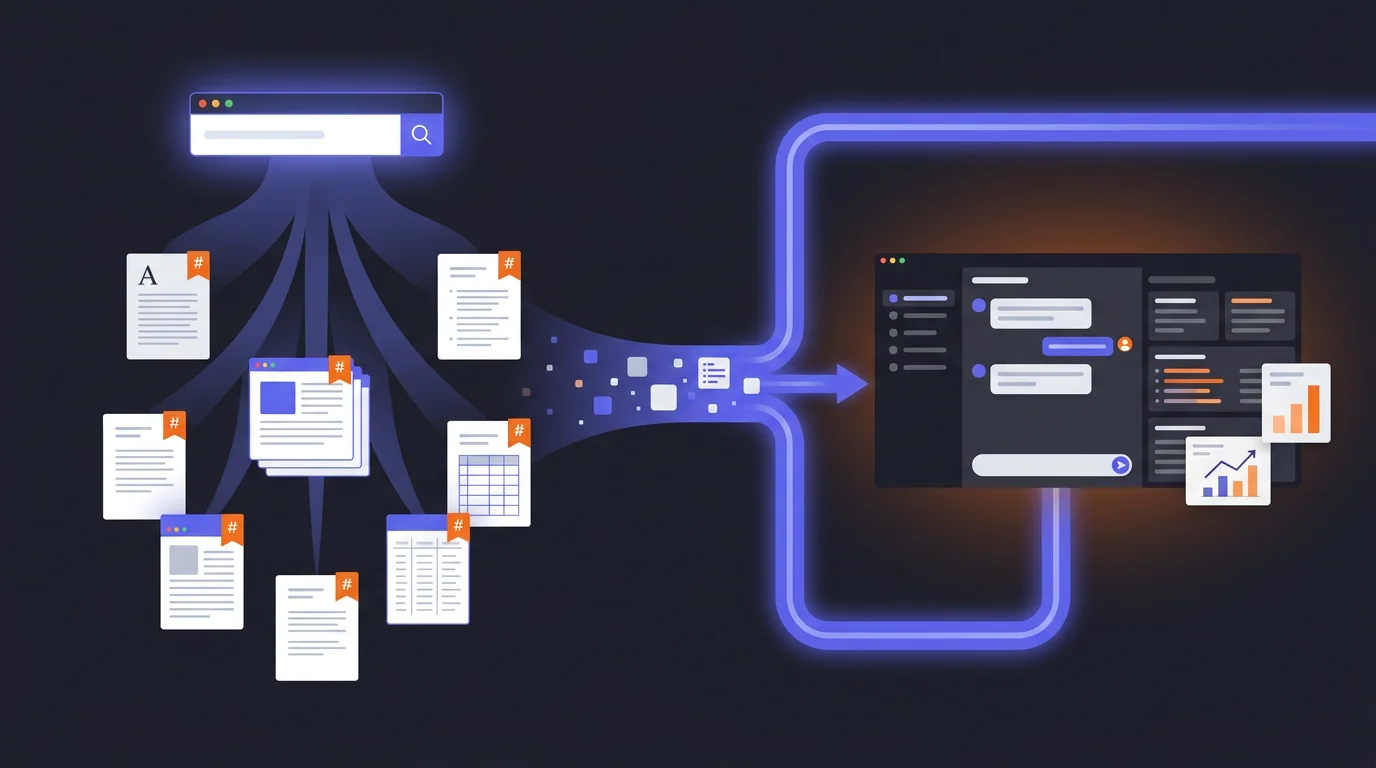
Most people copy-paste Perplexity results into a document or just read them in the browser. Instead, export or copy the result as a Markdown file (.md). Markdown is plain text with lightweight structure tags — headings, bullet points, links — and no formatting garbage. No invisible Word styles, no PDF layout artifacts. Clean, parseable text.
LLMs read Markdown better than any other format. It’s their native language in a sense — almost all their training data was structured text, and Markdown is the most common way to structure text on the internet. Feeding an LLM a Markdown file versus a PDF is like giving a colleague a clean brief versus a photocopied fax.
Step 3: Build context in Claude
Now I take that Markdown file — my sourced, cited research — and upload it to Claude. But I don’t just start asking questions. I do something that feels counterintuitive: I ask Claude to write its own instructions.
Here’s the prompt:
“You are my senior strategy consultant for [domain]. I’ve uploaded a research document as your primary knowledge base. Before we start working: write a system prompt for yourself that ensures you always reference this research, never give generic answers, and cite specific findings from the document when making claims.”
Claude reads the research, understands the domain, and produces a set of instructions for itself — essentially a custom persona grounded in your specific data. It configures itself.
This is what I call meta-prompting: instead of you writing the perfect prompt, you let the AI write the prompt based on the context you gave it. It works because the AI understands its own capabilities and limitations better than most users do.
After Claude generates its self-instructions, I review them, tweak anything that’s off, and then we’re working from a foundation of real, sourced knowledge instead of the AI’s general training data.
Step 4: Work the problem
Now the actual work begins. And this is where Claude’s strengths kick in — long-form reasoning, structured analysis, and the ability to hold a complex conversation without losing the thread.
I might say:
“Based on the regulatory research, identify the three biggest compliance risks for a startup entering this market. For each risk, suggest a mitigation strategy.”
Claude draws from the uploaded research — the specific, sourced information Perplexity gathered, not its generic training data. The answers come with references to the actual sources, because those sources are in the document it’s working from.
Then I push back:
“Your second risk seems overstated. In practice, most cantons don’t enforce that requirement for companies under 50 employees. Challenge your own reasoning — where might you be wrong?”
This is how I work with AI in general: not as a single query, but as an iterative conversation. Start broad, challenge the output, refine, push deeper. The AI gets better with each round because it’s building on a richer context.
Why this beats a single tool
The obvious question: why not just do the research in Claude directly?
Three reasons.
Sourcing. Claude doesn’t search the web in real time (or when it does, it’s less thorough than Perplexity). When I need current, verifiable facts, I need a tool that was built for that. Perplexity gives me sources I can check. Claude gives me reasoning I can build on. Different jobs.
Separation of concerns. Research and analysis are different cognitive tasks. Mixing them in one conversation leads to muddled results — the AI half-researches and half-analyses, doing neither well. Separating them forces clean handoffs.
Audit trail. The Markdown file is an artifact. If someone questions my analysis six months later, I can point to the research that informed it, complete with sources and dates. If I’d done everything in one Claude conversation, that context would be scattered across a chat log.
When this is overkill
Not everything needs a pipeline. If I’m writing a quick email, brainstorming ideas, or having a casual conversation about a topic I know well, I just open Claude and start talking. The pipeline is for when the stakes are high enough that you need sourced research as your foundation.
Good use cases:
- Market analysis for a new product or market entry
- Competitive intelligence briefings
- Regulatory research for compliance decisions
- Due diligence on potential partners or vendors
- Building a knowledge base for your company’s AI system
Not worth it for:
- Writing an email
- Quick brainstorming
- Anything where “roughly correct” is good enough
The bigger picture
This pipeline is actually the first step toward something more powerful. Once you have sourced research as Markdown files, you can start building a persistent knowledge base. Instead of one-off research that lives in a chat conversation and gets forgotten, you’re creating structured artifacts that accumulate over time.
That’s the foundation of what I call a Company AI Operating System — a system where AI doesn’t just answer from its training data, but from your company’s actual, verified knowledge. The research pipeline is where that knowledge comes from.
And once you have that foundation, the next move is even more interesting: instead of you asking the AI questions, you let the AI interview you — extracting the knowledge that’s in your head but has never been written down.
But that’s a story for another guide.
Published: 2026-03-17
Last updated: 2026-07-01