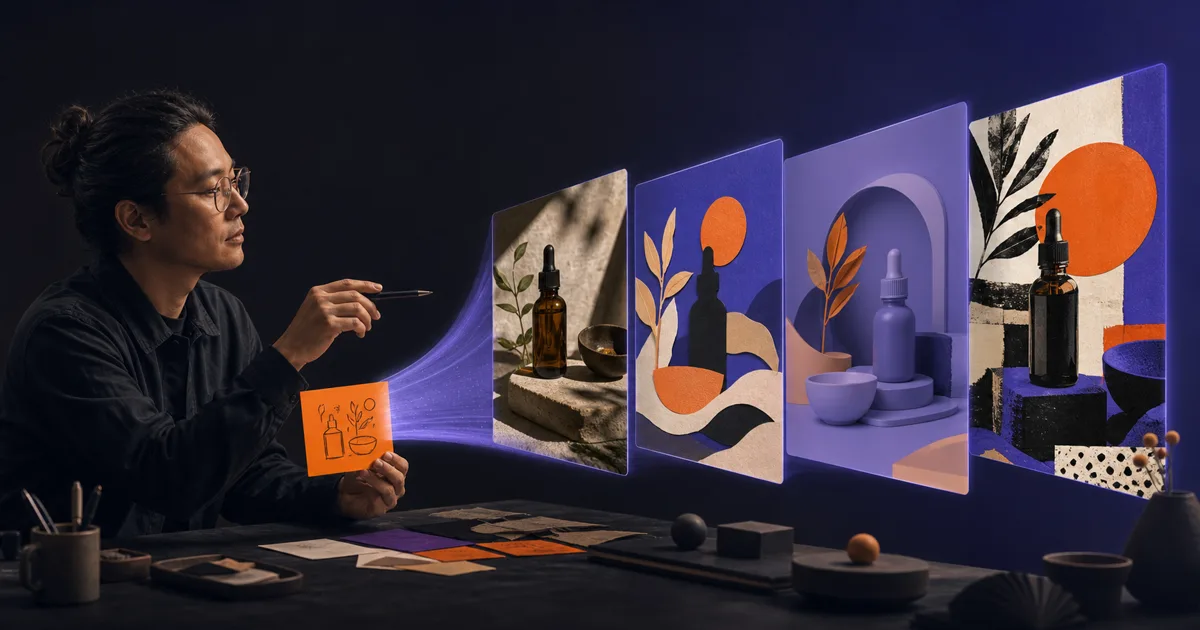
From an Idea to an Image Worth Using
A practical way to create images with GPT Image 2: turn a vague idea into a visual brief, choose an art direction, generate in ChatGPT, and improve the result without prompt roulette.
 Fabian Mösli
 Reading Preferences
Key Takeaways
- • Start with the job the image has to do. A visual brief beats a pile of style adjectives because it gives the model priorities.
- • Use an LLM to interview you and structure the brief, then generate. Keep copy and facts outside the image model until they are settled.
- • Treat the first image as a draft. Diagnose the biggest problem, change one variable, and continue the conversation instead of starting over.
In this guide
I generate most of my AI images through Poe. One subscription gives me access to dozens of image and video models, so I can move between them without maintaining a small zoo of accounts. For this guide, though, I am using ChatGPT as the default interface. More people already have it, and its image editor makes the learning path easier to follow.
The underlying model is GPT Image 2 in both places. The experience around it is different. That distinction matters more than it sounds.
This guide starts from a blank page and ends with an image you could actually put into a campaign, a presentation, or an article. Part two takes the same image into editing. Part three turns the workflow into a repeatable business system and adds the API layer.
Is GPT Image 2 the same in Poe and ChatGPT?
The short answer: same engine, different vehicle.
Poe’s official GPT-Image-2 page says the bot is powered by a server managed by OpenAI. You get the core model’s generation and editing capability, with controls for three aspect ratios, low/medium/high quality, image attachments, and an optional mask.
ChatGPT wraps that model in a broader product. OpenAI’s current ChatGPT Images guide includes a selection editor, an image library, conversational editing, and an aspect-ratio picker. Images with thinking can also research, reason about the brief, and create several assets from one request; OpenAI currently lists that mode for Plus, Pro, and Business. The base image feature is available on all ChatGPT tiers.
So yes, the image model can understand the same sort of prompt in Poe. No, you should not expect pixel-identical results or an identical workflow. ChatGPT may do more work before the image request reaches the model. Poe exposes a more direct wrapper with fewer product features. Usage limits and privacy terms also follow the product you are using, not just the model name printed on the button.
For a first systematic attempt, use ChatGPT. Once the method makes sense, moving it to Poe is easy.
Step 1: decide what the image has to do
Most weak prompts start with the subject:
Create a premium photo of an espresso cup for a coffee brand.
That is enough to get a plausible coffee picture. It says almost nothing about the job. Is this a website hero with copy on the left? A square product card? A moody print ad? A slide background that needs quiet space behind a chart?
The model will make those decisions for you. It has no way to know which ones matter.
Before opening Images, write down four things:
- Asset: Where will this image appear?
- Audience: Who needs to notice or understand it?
- Action: What should the viewer feel, understand, or do?
- Format: Wide slide, square post, vertical story, poster, something else?
For the running example in this series, the job is simple: a 3:2 campaign image for a fictional independent coffee brand. The cup sits on the right so the designer can add copy on the left later. The mood should feel quiet, tactile, and expensive without turning into glossy stock photography.
That single paragraph makes dozens of visual decisions easier.
Step 2: let the LLM interview you
You do not need to arrive with a finished art direction. Use the language model inside ChatGPT to help you build one before asking it to generate.
Paste this into a normal chat:
I need to create an image, but my brief is still vague.

Interview me one question at a time. Help me decide:
- where the image will be used
- who it is for
- the main subject and setting
- the composition and camera position
- the visual style or medium
- the lighting and mood
- the colour palette and materials
- any exact text that must appear
- what must stay out of the image
- the aspect ratio

Push back when my choices conflict. When you have enough information,
write a compact visual brief I can use for image generation. Do not
generate the image yet.
This is a better use of an LLM than asking it to “improve my prompt.” Improve toward what? The interview forces the missing decisions into the open.
If you already know most of the brief, skip the interview and give the LLM your rough notes. Ask it to find ambiguity, not to make everything more elaborate. Image prompts often get worse when every noun acquires three adjectives.
Step 3: turn the answers into a visual brief
I use this structure. It is a checklist, not a form you have to complete every time.
Asset and audience:
Primary request:
Subject:
Scene or backdrop:
Style or medium:
Composition and framing:
Lighting and mood:
Colour palette:
Materials and textures:
Exact text:
Must keep:
Avoid:
Aspect ratio:
The order reflects how an art director would think: job, subject, scene, composition, then finish. You can write it as prose if you prefer. Labels simply make omissions easier to spot.
For the coffee example, the final brief became:
Asset and audience: 3:2 campaign image for a fictional independent coffee brand.

Primary request: A small hand-thrown burnt-orange ceramic espresso cup
filled with espresso, photographed on a dark honed-stone café table at
quiet dawn. One green cardamom pod and a folded natural-linen napkin sit
well behind the cup as restrained supporting details.

Subject: The burnt-orange cup is the unmistakable hero. Show tiny glaze
irregularities, a realistic crema ring, and one subtle fingerprint in the clay.

Style or medium: Natural editorial product photography, understated rather
than glossy advertising.

Composition and framing: Landscape 3:2, camera at table height with a 50mm
lens look, cup on the right third, clean negative space on the left for copy,
shallow depth of field.

Lighting and mood: Soft blue dawn window light from the left with one warm
practical reflection on the cup. Calm and tactile.

Colour palette: Burnt orange, charcoal, muted blue-grey, natural linen.

Avoid: Saucer, scattered coffee beans, logos, readable text.
You can paste that into ChatGPT and say, “Create this image.” Or open More → Images and paste it there. At the time of writing, ChatGPT lets you choose an aspect ratio in the interface or state it in the prompt.
Step 4: compare a request with a brief
I generated the vague one-line prompt and the directed brief with the same model. Both images are competent. Only one knows what it is for.
The difference is not “more detail equals better.” The directed prompt contains priorities. Cup identity matters. Position matters. Negative space matters. A saucer and scattered beans would work against the direction, so they are excluded.
The detailed image is still imperfect. The cardamom pod and linen are less controlled than I asked for, and a single generation is not a finished campaign. That is normal. A good brief gives you a useful starting point and a language for the next correction.
Step 5: choose an art direction deliberately
“Make it more creative” is almost impossible to act on. Creative in which direction?
Ask the LLM for distinct visual routes before generating all of them. A useful request is:
Give me six genuinely different visual directions for this brief.
Each direction needs a named medium, a composition principle, a lighting
approach, and one reason it fits the job. Do not give me six variations of
the same premium product photo.
The main families worth learning are straightforward:
- Natural photography: editorial, documentary, studio product, architectural, macro.
- Illustration: ink, gouache, linocut, technical drawing, children’s book, manga.
- Graphic design: collage, poster, Swiss grid, editorial spread, data visualisation.
- Dimensional work: clay, paper sculpture, miniature set, polished 3D, isometric scene.
- Historical media: cyanotype, risograph, screen print, woodcut, early colour film.
The medium changes more than the finish. It changes which details feel natural, how the composition works, and what kind of mistake looks acceptable.
Use references when words stop being precise enough. Upload two or three images and label their role: “Image 1 is for lighting, Image 2 for composition, Image 3 for texture. Do not copy their subject or branding.” That separation reduces the chance that the model treats every reference as one big collage instruction.
Step 6: improve one thing at a time
The fastest route to prompt roulette is rewriting the whole brief after every image. You lose track of which change helped.
After the first result, diagnose the biggest problem:
- The composition is wrong: move the subject, change camera height, add negative space.
- The style is wrong: switch medium or art direction.
- The mood is wrong: change the light source, contrast, weather, or time of day.
- The subject is wrong: describe its material, shape, age, and distinctive features.
- The image is too busy: remove supporting objects and give the subject more room.
- The result feels generic: add a specific physical detail that could only belong to this scene.
Then give one follow-up:
Keep the cup, materials, colour palette, lighting, camera angle, and crop.
Move the cup slightly lower and farther right so the left half has uninterrupted
space for a short headline. Change nothing else.
The phrase “change nothing else” helps. It does not freeze pixels. Image models can still drift, which is why the editing guide treats invariants and clean checkpoints as a full discipline.
Step 7: make a business visual without inventing facts
GPT Image 2 is much better at text and structured layouts than older image models. OpenAI’s launch examples include posters, infographics, multilingual typography, diagrams, and presentation-like material. That makes business visuals genuinely useful now.
It also creates a new failure mode: a polished lie.
Separate the information job from the design job. First produce and verify the copy, labels, numbers, and source notes in text. Then lock them and ask for the visual.
For this example I used made-up numbers on purpose:
Create one 16:9 executive presentation slide.

Use this exact, explicitly fictional data:
- Slow setup 42%
- Unclear value 31%
- Missing integrations 27%

Title: "WHY CUSTOMERS LEAVE"
Footer: "Fictional sample data"

Use a clean editorial information design with a warm off-white canvas,
charcoal text, indigo bars, and one restrained burnt-orange coffee motif.
Do not add statistics or explanatory copy.For real work, I would probably ask the model for the visual structure and then recreate the final chart in PowerPoint, Keynote, Figma, or another deterministic tool. That keeps the numbers editable and accessible. The generated image is excellent for a concept, a background, or a fast draft. It is a risky place to store the only copy of your data.
Where image generation still wastes time
GPT Image 2 can create remarkably finished work, but a few jobs still deserve skepticism.
Exact identity across many images. A character or product can drift. References and repeated invariants help; a controlled design pipeline helps more.
Pixel-perfect layout. If every line must align to a grid and remain editable, use a design tool. Generate the visual ingredients, then assemble them deterministically.
Dense facts. The model can render a convincing diagram whose logic is wrong. Check the content outside the image.
Logos and trademarks. A model may create something uncomfortably close to an existing mark. Run a proper trademark check before using generated identity work commercially.
Confidential source material. Consumer ChatGPT accounts can use conversations to improve models when the relevant data control is enabled. OpenAI’s Data Controls FAQ explains how to turn off “Improve the model for everyone” or use Temporary Chat. OpenAI says Business, Enterprise, and API inputs and outputs are not used for model improvement by default. Your employer’s policy still wins.
A 20-minute practice run
Pick one real but low-risk asset: a slide opener, a newsletter illustration, a fictional product image, or a poster for a private event.
Spend five minutes defining the job. Let the LLM interview you for five minutes. Generate one image. Use the final ten minutes for two single-change iterations.
Save four things together:
- the final image
- the brief
- the best follow-up instruction
- one sentence about what still failed
That small record is more valuable than a folder of twenty unlabeled variations. It teaches you what your judgment contributed.
Next, take the directed coffee image into Edit the Image, Keep What Works. That is where image generation stops feeling like a slot machine and starts feeling closer to a visual workbench.
Published: 2026-07-18
Last updated: 2026-07-18