Nr. 07 · Fallstudie · Präsentation
Der Pitch
Eine Präsentation mit 17 Folien, aus einem einzigen Prompt
Ein Vortrag, der Leute dazu bringen soll, KI richtig zu lernen, mit dieser Website als Einstieg: 17 Folien mit Sprechernotizen, ein Diagramm, ein QR-Code und ein paar Witze. Claude Code hat die PowerPoint-Datei aus einem einzigen Prompt von mir erstellt und jede Folie geprüft, indem er sie sich angesehen hat. Blättere hier durch, oder lade sie herunter und halte den Vortrag selbst.

![The prompt, as an excerpt: “You can now also create amazing PowerPoint presentations, right? I want you to do one about The Good AI Guide. […] Make it entertaining, smart, witty, funny, lighthearted (but not silly). Make it aesthetically beautiful. […] Don’t ask me questions, just fill the gaps with your best guess.” One prompt, 17 slides: Claude Code wrote the deck as code, rendered every slide, looked at the result and fixed what was off. It could read the whole site first: the guides, the voice, the colours. A brilliant new hire with a proper brief. On the right, thumbnails of all 17 slides, this one included. How it was made, and the full prompt: goodaiguide.com/possible/the-pitch.](/images/possible/the-pitch/slide-16.webp)
Sprechernotizen · auf Englisch, wie die Folien
Welcome. One promise before we start: no jargon, nothing to install, and you'll leave with exactly one small thing to do this week.
[Ask the room] Hands up if you've tried ChatGPT, Copilot or Gemini at least once. Now keep your hand up only if it's become part of how you work every day. [If most hands go down again, that gap is what the next 20 minutes are about.]
I'm Fabian. My day job is product and AI at a Swiss healthtech startup, where I'm CPO and Chief AI Officer. On the side, I write the Good AI Guide, a free site that helps people get properly good at AI. Everything in this talk is on that site, so there's no need to take notes.
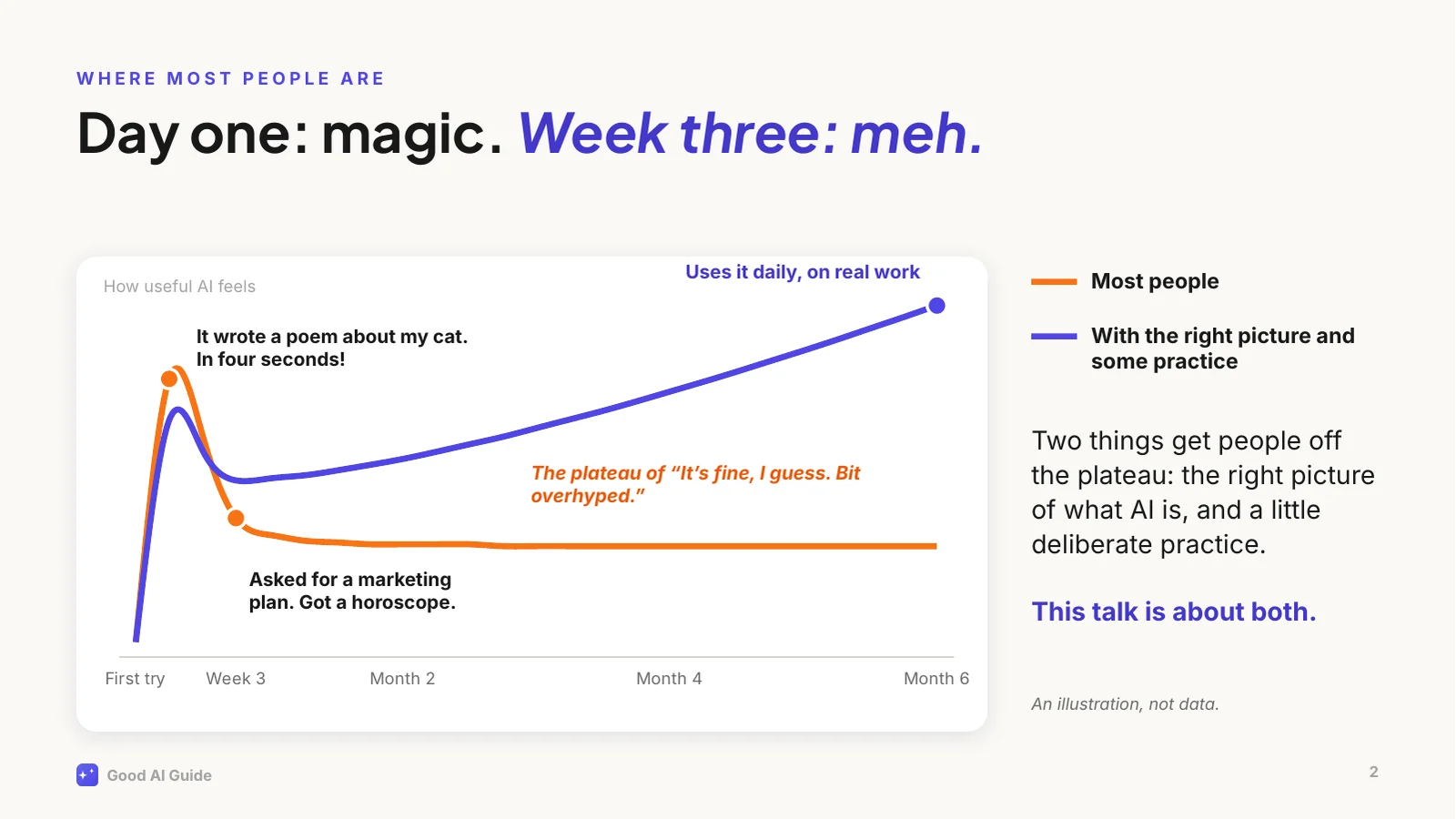
This is the curve I see over and over.
[Point at the peak] The first week is genuinely magical. A poem, a summary, a decent email in seconds. Then you ask it something that matters at work, a plan or a strategy, and you get an answer that would fit any company on earth. A horoscope.
So people conclude it's overhyped, use it for the odd email, and stay there. That flat line is where most people are today, and talent has little to do with it. Two things are missing: the right picture of what you're actually talking to, and a bit of deliberate practice.
The indigo line is what happens with both. The rest of this talk is about how to get onto it.
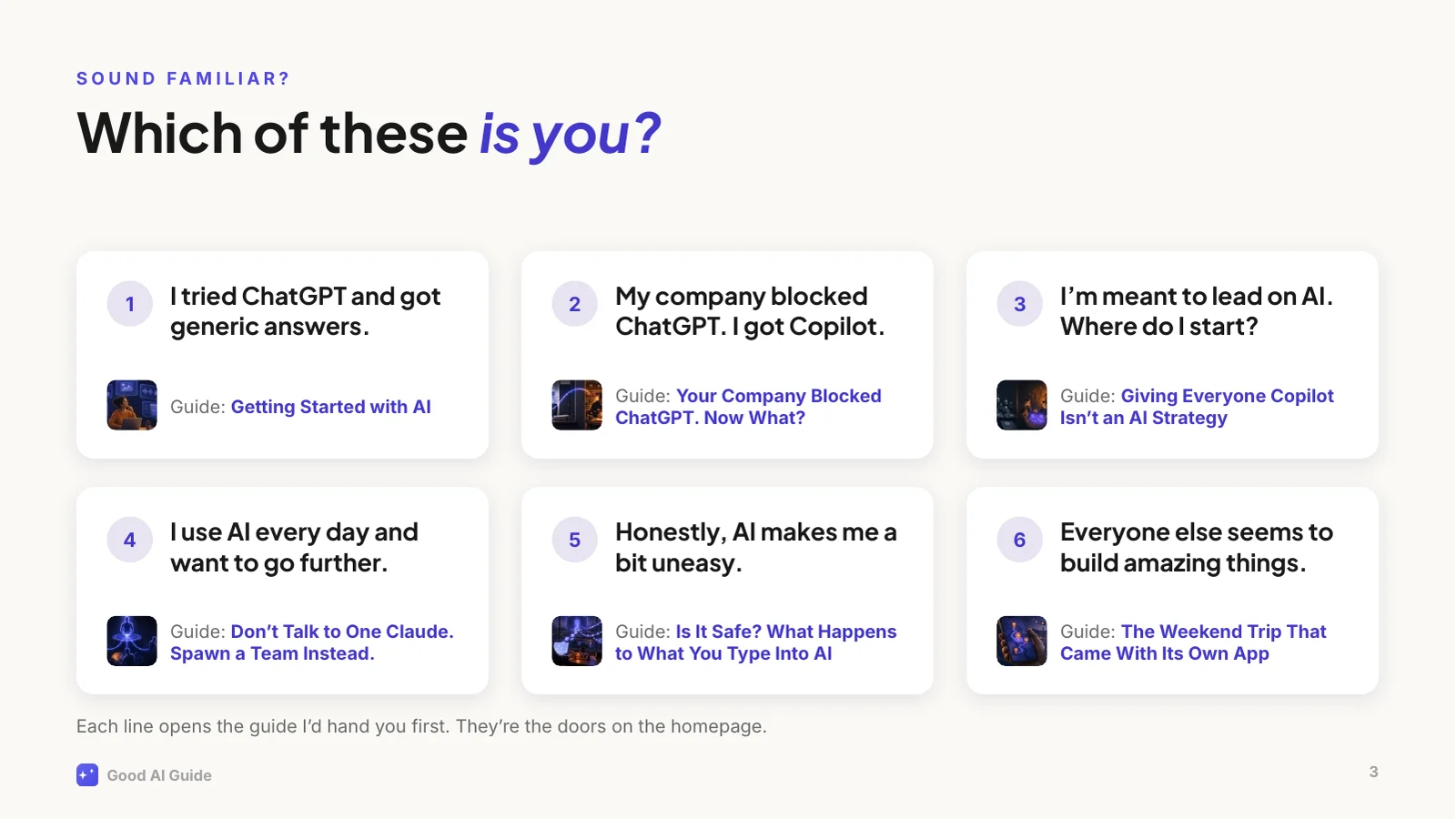
Six situations this site is built around.
[Ask the room] Which one is closest to you? Shout a number. [Wait for a few answers.]
Whatever you picked, you're in good company, and none of them means you're behind. Each has a guide written for exactly that situation, and the site's homepage shows these six lines as doors.
Two worth calling out. In my experience, number 2 is the most common one in larger companies: the good tools are blocked and you got Copilot or an internal chatbot. That's fine, and we'll come back to it. And number 5 is a reasonable place to start: the guide tells you what actually happens to what you type.
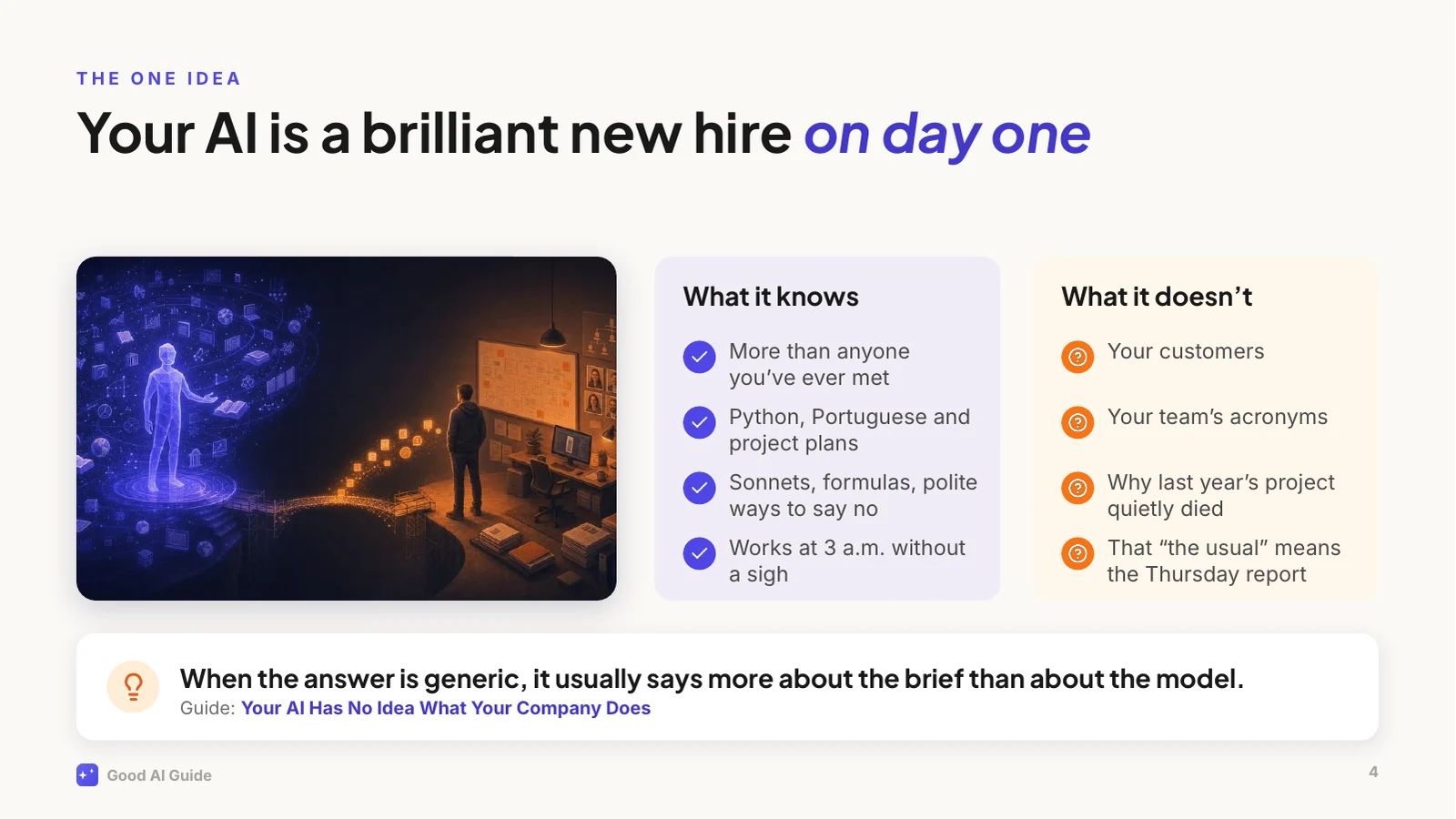
If you remember one thing from today, make it this picture.
Imagine the smartest graduate you've ever hired. Top of their class, has read everything, absurdly fast. It's their first day. They've never met your customers, they don't know your product, and they have no idea why last year's project died.
Now you walk up and say: "Write me a strategy for Q3." You'd get a textbook answer, and you'd never brief a human colleague that way. But that's how most of us talk to AI.
The picture explains the other quirks too. A new hire who doesn't know the answer but wants to please will sometimes fill the gap with a confident guess. That's what people call hallucination.
So the fix is what you'd do with any new colleague: give context, explain what good looks like, and check the first drafts.
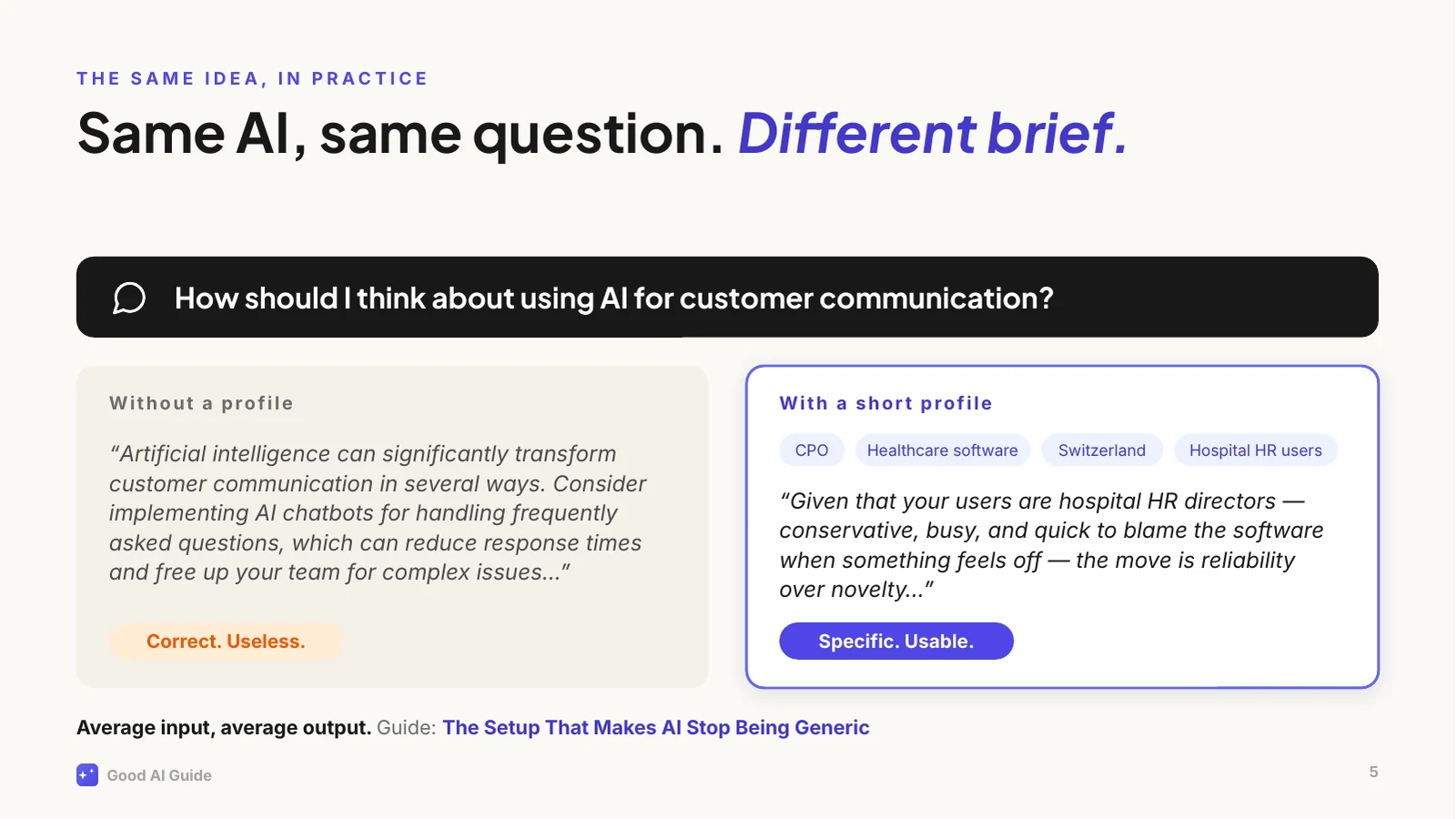
Here's that idea in practice, with a real example from one of the guides.
Same AI, same question. On the left, an account that knows nothing about me. Read it: it isn't wrong. It's addressed to an imaginary average businessperson.
On the right, the same question from an account with a short profile: my role, my industry, my country, who my users are. Now it talks about hospital HR directors and why they distrust anything that feels like a chatbot. That's advice I can act on.
Writing that profile took a few minutes, once. Most assistants let you store a profile like that, so every new chat starts from it. Where yours doesn't, paste it at the top of the chat. That alone moves a lot of people off the plateau.
So how do you get from the flat line to the rising one? Not the way most of us try.
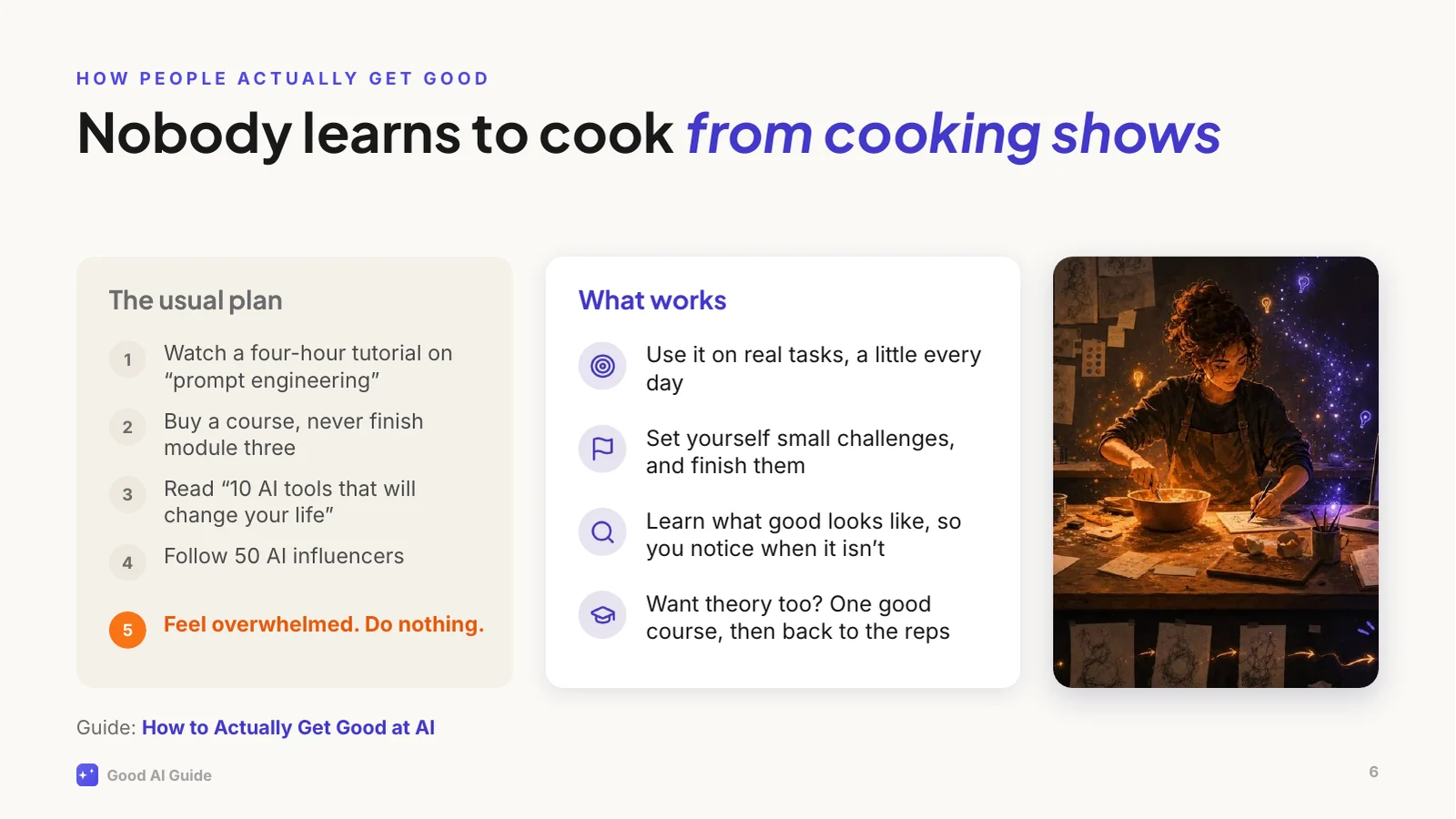
[Point left] This is the usual plan, and step five is where it usually ends. The material isn't the problem. Some courses are excellent, and if you want one, take one; there are better courses out there than anything I'd make.
But watching doesn't build the intuition you need, the same way nobody learns to cook from cooking shows. You learn by standing in the kitchen and burning a few things. With AI that means using it on real work, a little every day, with small challenges you actually finish. And it helps to know what good looks like, which is what the site's levels and checklists are for.
That's how I learned most of what I know: by using it constantly, stubbornly, and sometimes badly.
Why bother now? Because it's still early, even if it doesn't feel that way.
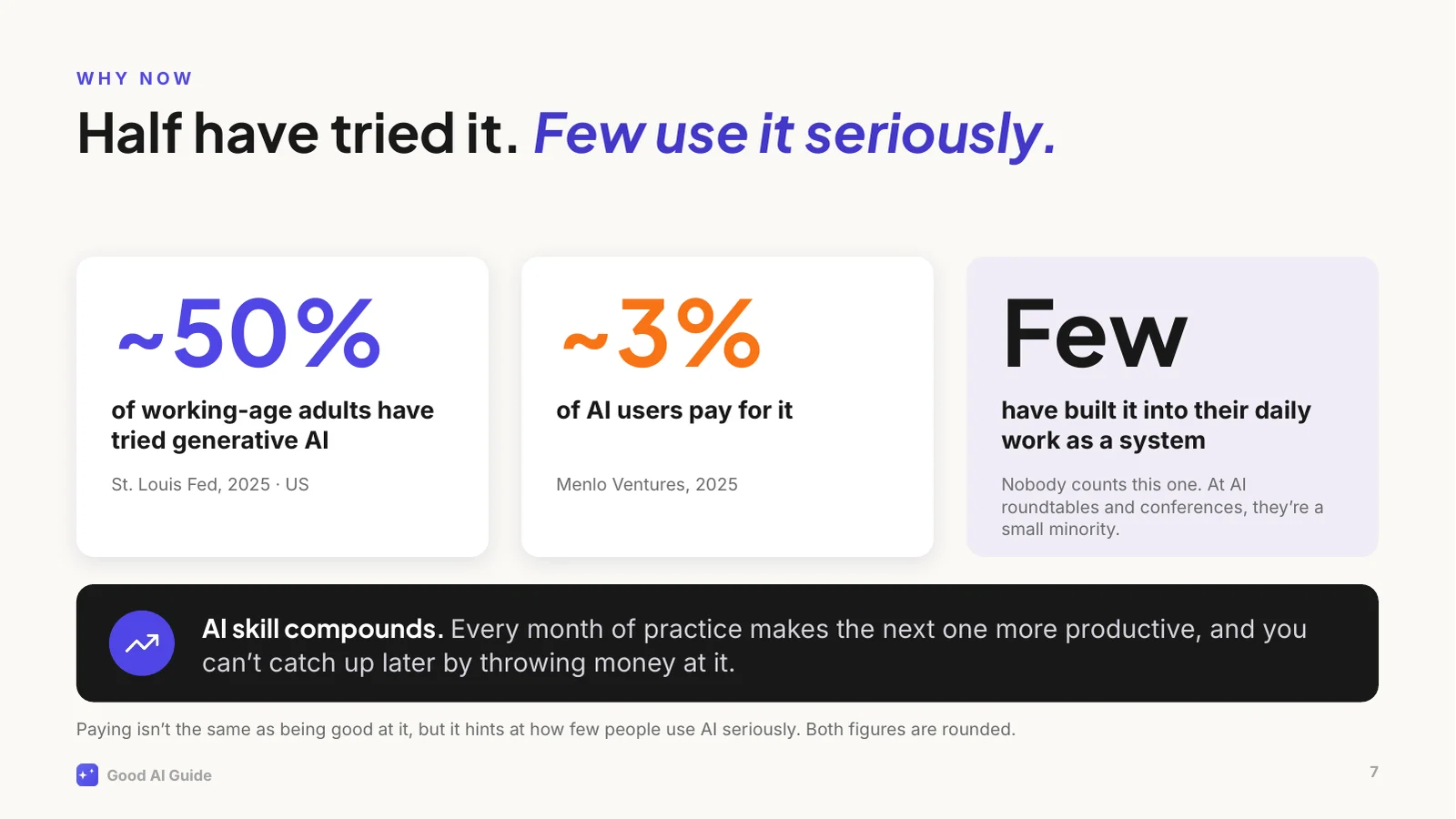
In the US, about half of working-age adults have tried generative AI. Only about 3 in 100 AI users pay for it. Paying isn't the same as being good at it, but it tells you how few people take it seriously. And the people who've built AI into their daily work as a system? Nobody counts them. I go to a lot of AI roundtables and conferences, and not long ago I worked in a large corporate myself. In both places, they're a small minority.
The second reason is that AI skill compounds. Every month of practice makes the next month more productive: you spot more uses, you brief better, you learn where to trust it. That's why you can't catch up later by throwing money at it. Being good at AI is still rare, and that won't last.
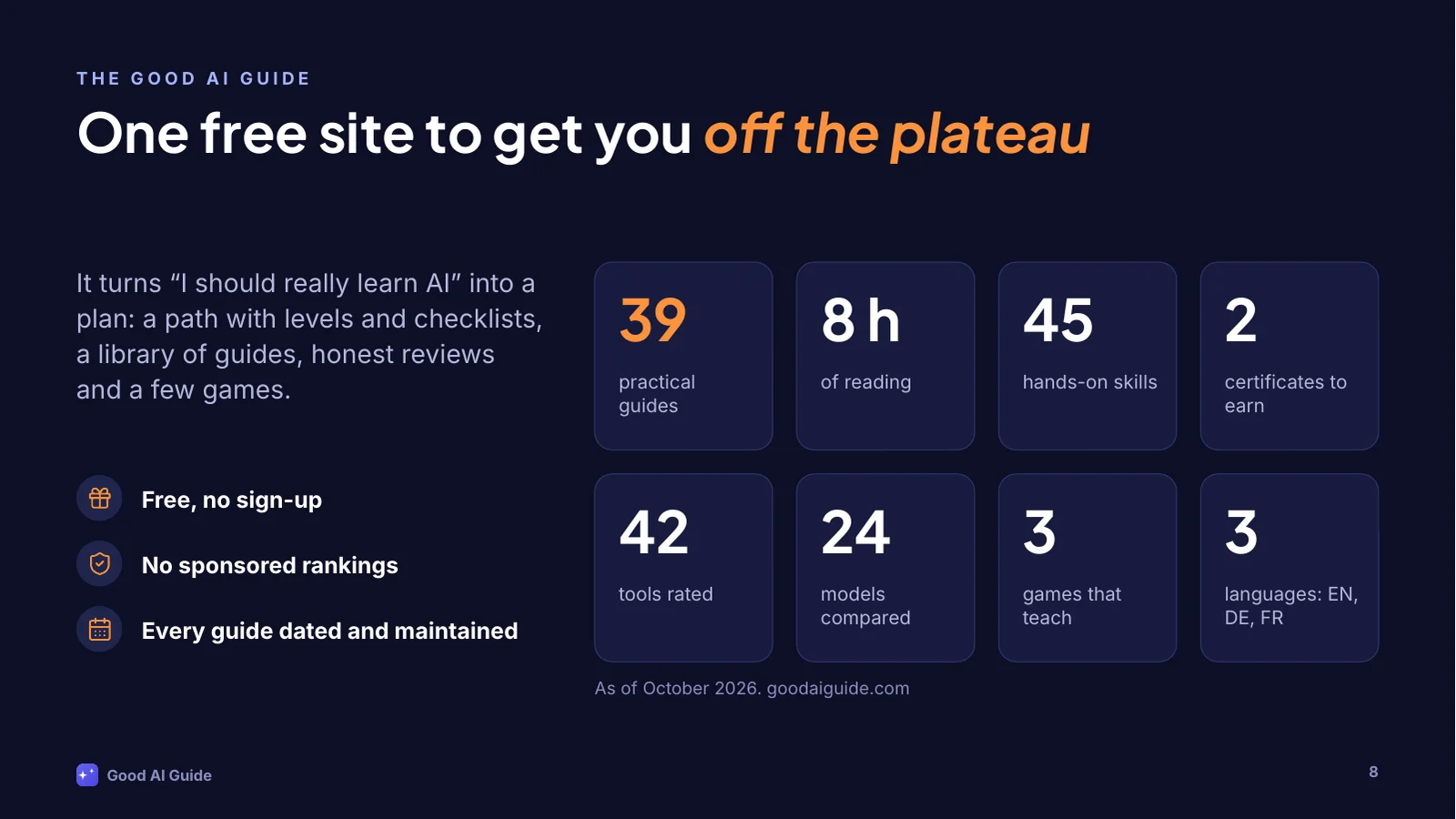
This is where the Good AI Guide comes in. It's a free site I write and maintain on the side. No sign-up, no paywall, and nobody can pay for a rating.
It started as a weekend project: I wanted to see how far I'd get building a proper site with AI tools. It has grown into this: 39 guides, about 8 hours of reading, 45 hands-on skills, 2 certificates, 42 tools with honest ratings, 24 models sorted by the job they're for, and a few games. In English, German and French.
Building it was the easy part. Keeping it current while everything shifts every few weeks is the real work, which is why every guide shows when I last updated it.
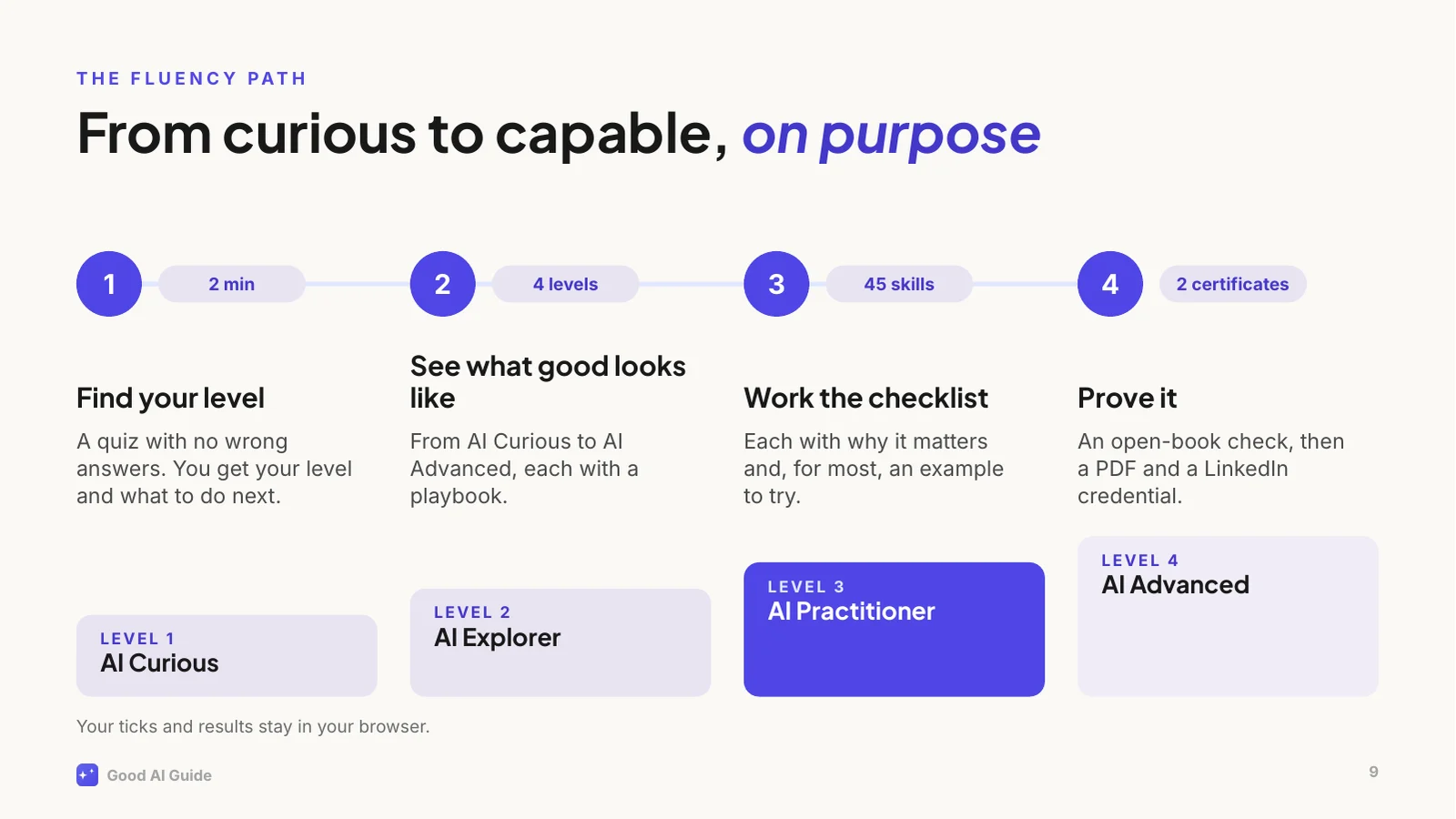
The core of the site is the Fluency Path, because "just use AI more" is terrible advice. You get good at AI the way you get good at a language: deliberately, with reps, and by knowing what good looks like.
Step one is a two-minute quiz with no wrong answers. It places you on one of four levels. Each level has a playbook and a checklist of concrete skills, 45 so far, and every skill says why it matters and usually gives you an example to try.
When you've worked through a level, you can prove it with a certificate: an open-book check, then a PDF and a credential for your LinkedIn profile.
All of it runs in your browser. No account, and your progress never leaves your device.
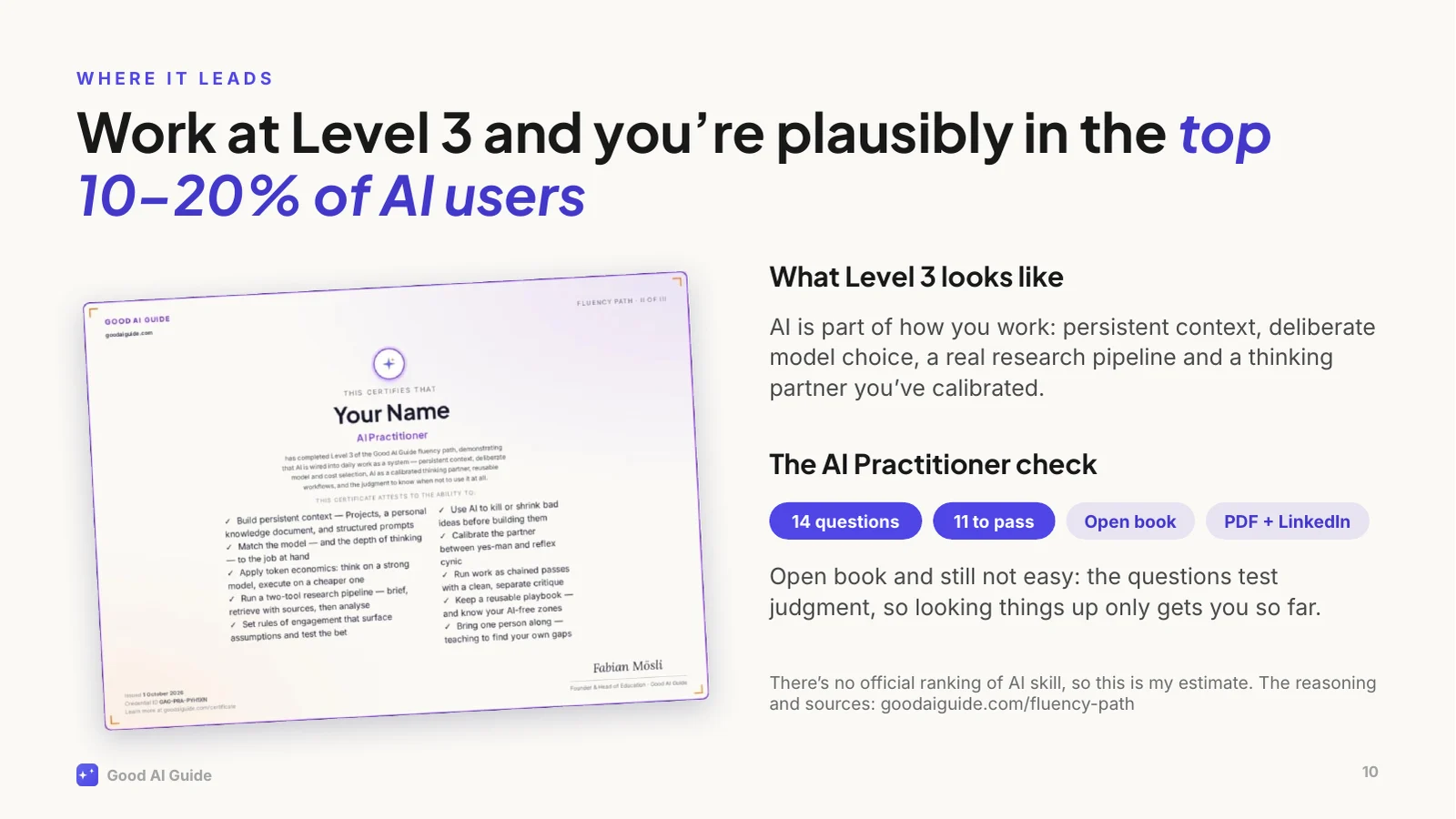
Level 3 is where the effort pays off. It's called AI Practitioner: AI is part of how you work: persistent context, deliberate choice of model, a real research pipeline, and a thinking partner you've calibrated so it doesn't just agree with you. Work like that and you're plausibly in the top 10 to 20 percent of people who use AI. That's my estimate, not an official ranking, and the site explains exactly how I get there.
And yes, there's a certificate. It's open book and still not easy: the questions test judgment, so looking things up only gets you so far. Pass, and you get a PDF and a credential for your LinkedIn profile.
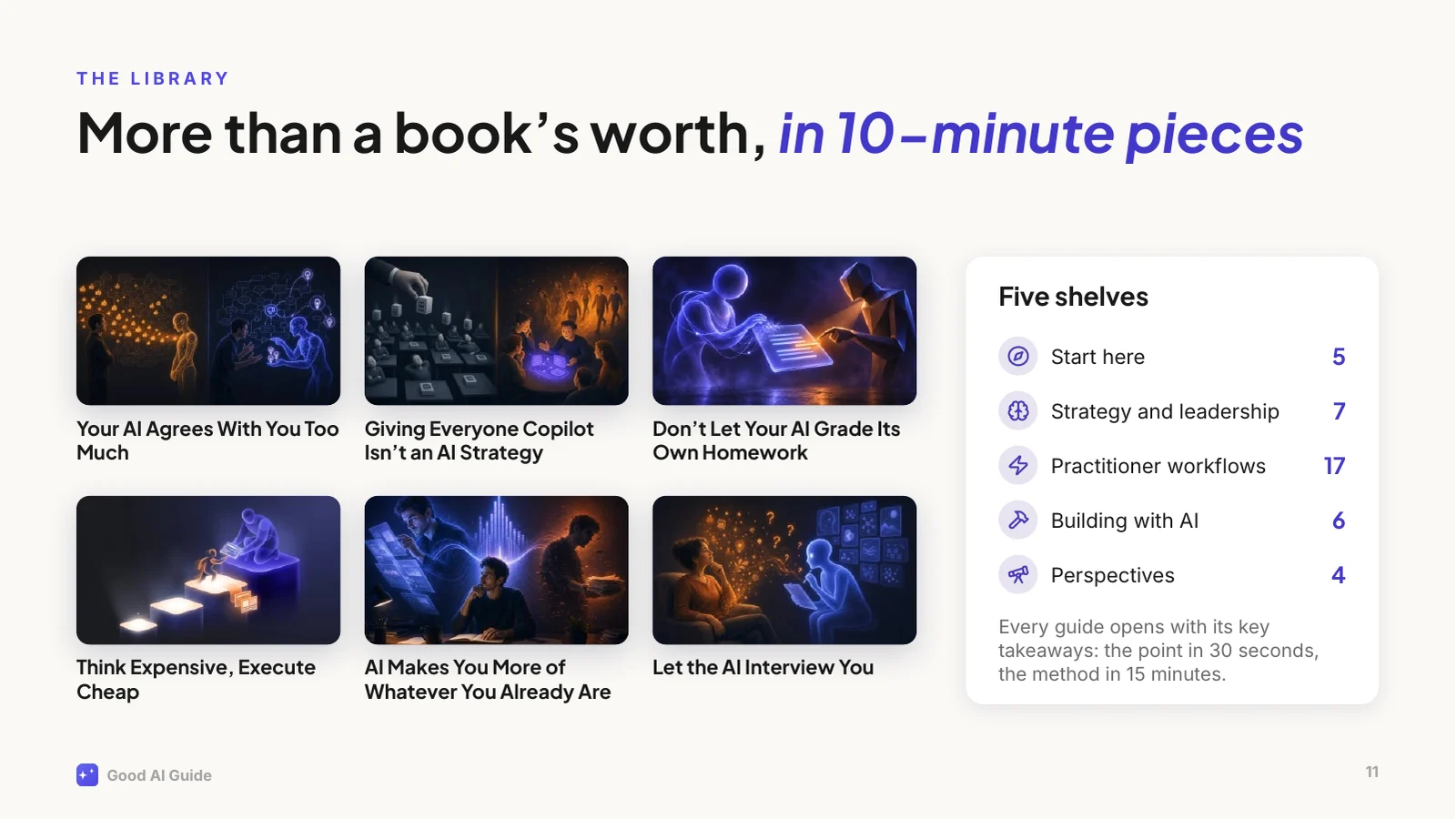
Then there's the library: 39 guides, about 86,000 words, which is more than a book, cut into pieces you can read over a coffee.
They're grouped the way I'd read them: start here, strategy and leadership, practitioner workflows, building with AI, and perspectives. Every guide opens with its key takeaways, so you get the point in 30 seconds and the method in 15 minutes.
A few examples: why your AI agrees with you too much and what to do about it; why giving everyone Copilot isn't an AI strategy; and why you shouldn't let your AI grade its own homework. They come from real use at work, including what didn't work.
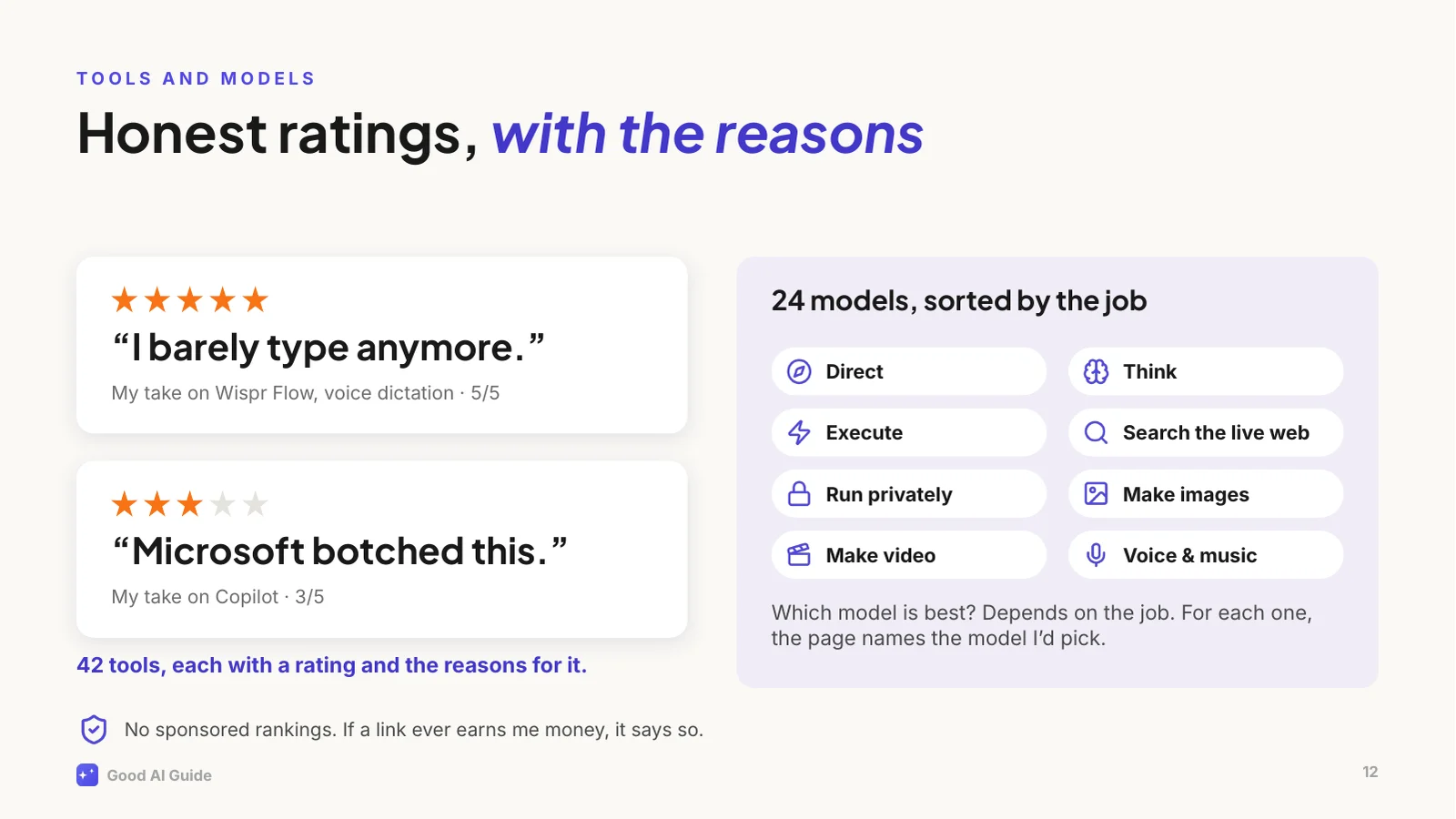
Every week there's a new "best AI tool". The site rates 42 of them, and every rating comes with my reasons: from "I barely type anymore", which is my five-star review of a voice dictation tool, to "Microsoft botched this", which is about Copilot. Copilot's model is fine, by the way. The packaging isn't.
And for "which model should I use?", the models page sorts 24 models by the job you need done: directing, thinking, executing, searching the web, running privately, images, video and voice. For each job it names the one I'd pick.
Nobody pays for a placement. If a link ever earns me money, it'll say so right next to it.
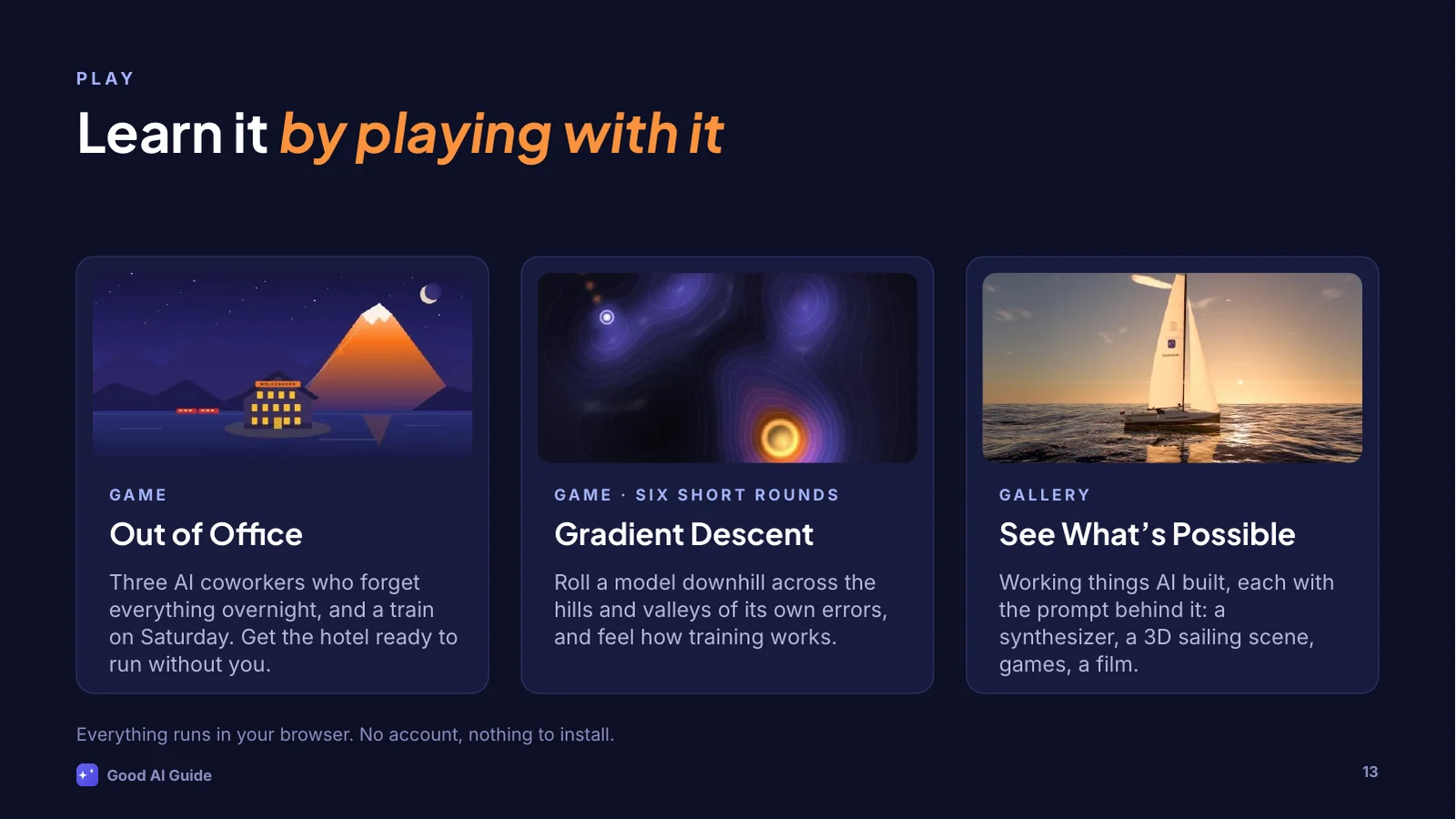
Some ideas click faster when you can poke at them, so the site has games.
Out of Office is the newest one. You run your grandmother's mountain hotel, your train leaves on Saturday, and you've got three AI coworkers from an agency who are fast, confident and slightly wrong. And they forget everything overnight unless you write it down. It teaches delegating to AI better than a slide can, this one included.
Gradient Descent lets you feel how a model is trained, by rolling it downhill across its own errors. And See What's Possible is a gallery of things AI built from a prompt: a synthesizer, a 3D sailing scene, games, a film. Each one comes with the prompt, so you can try it yourself.
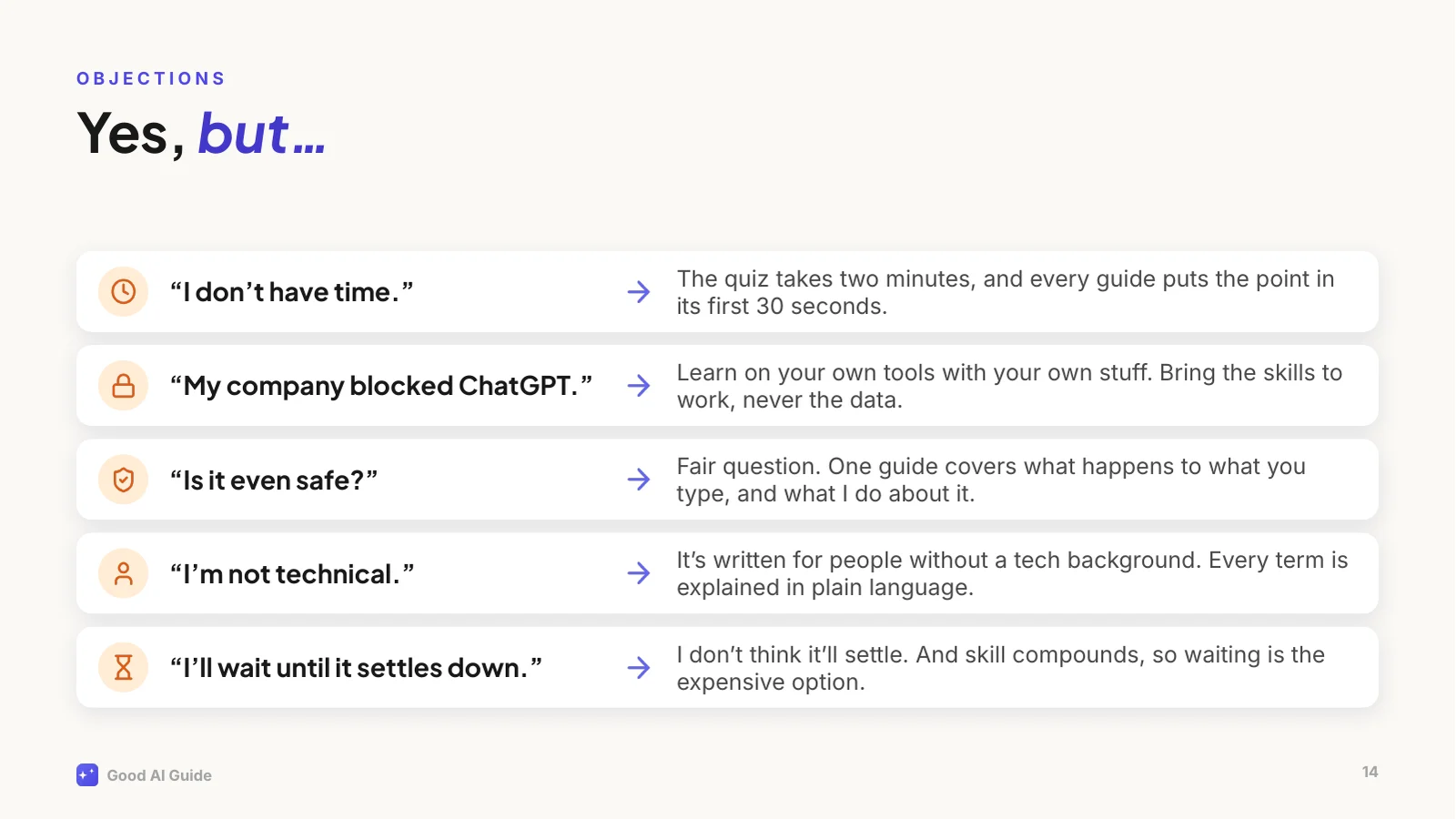
Let's deal with the objections, because I hear them every time.
"I don't have time": the quiz takes two minutes, and every guide puts the point in its first thirty seconds.
"My company blocked ChatGPT": that's normal, and usually sensible. Learn on your own tools with your own material, like planning a trip or drafting a cover letter, and bring the skills to whatever your company gives you. Never the other way round: work data stays in work tools.
"Is it safe?": a fair question, and there's a guide on what actually happens to what you type.
"I'm not technical": I write for people with a real job, no technical background and no time.
And "I'll wait until it settles down": I don't think it will. And because skill compounds, waiting is the expensive option.
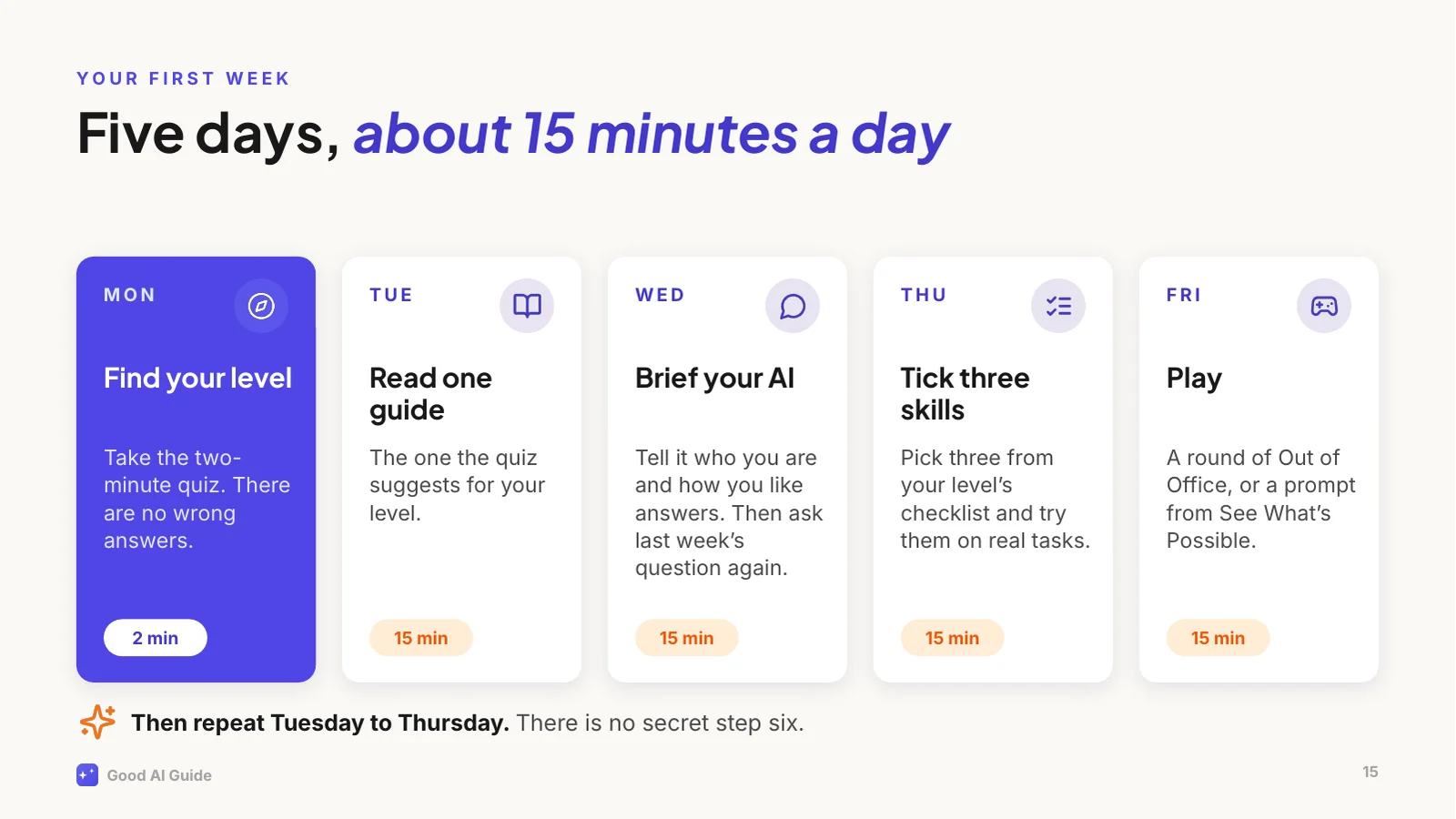
So here's your homework, and it's small.
Monday: take the two-minute quiz. Tuesday: read the guide it suggests for your level, ten to fifteen minutes. Wednesday: brief your AI properly. Tell it who you are, what you do and how you like your answers, then ask it something you asked last week and compare. Thursday: pick three skills from your level's checklist and try them on real tasks, with the tools you're allowed to use at work, or privately with your own stuff. Friday: play. A round of Out of Office, or a prompt from See What's Possible.
Then repeat Tuesday to Thursday. That's the whole method. There is no secret step six.
One more thing.
Everything you've seen in the last twenty minutes, the storyline, the jokes, the charts, the layout and even these speaker notes, was made by Claude Code from one prompt I typed. [Pause.]
It wrote the deck as code, rendered every slide to a picture, looked at them, and fixed what was off.
It could do that well because it was working inside my website's project. It could read every guide, my writing rules, the colours and the fonts. A brilliant new hire with a very good brief. That's this whole talk in one slide.
The full prompt and the story of how it was made are on the site, under See What's Possible.
That's it from me.
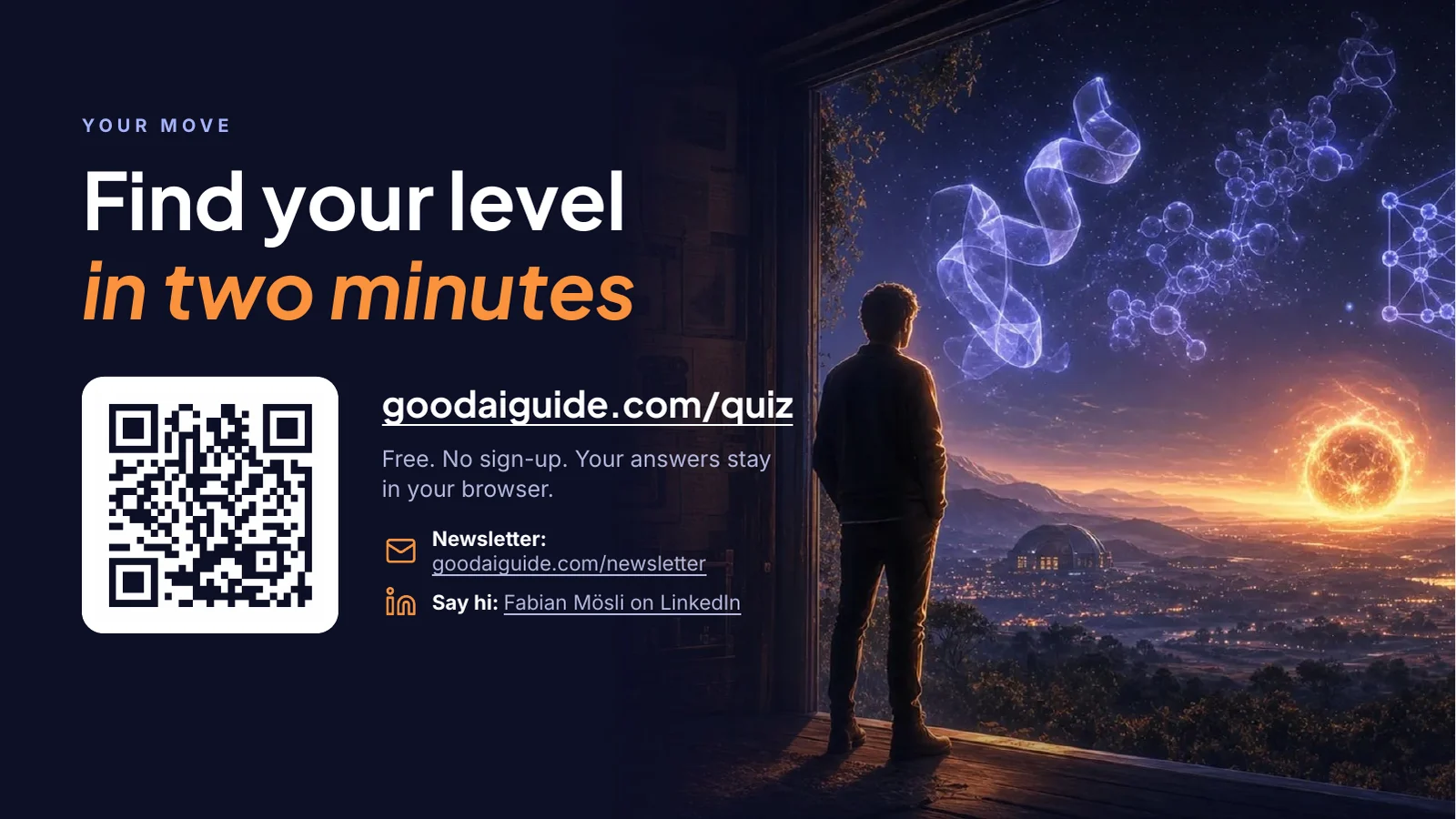
If you do one thing today, scan this code and take the quiz. It takes two minutes, there are no wrong answers, and it tells you exactly where to start.
If you'd like to hear when I've learned something worth sharing, there's a newsletter, roughly once a month. And if you'd like to talk about any of this, find me on LinkedIn. I'm always up for a virtual coffee.
[Questions?]
Die PowerPoint-Datei lässt sich bearbeiten und enthält die Sprechernotizen und die Schriften. Folien und Notizen sind auf Englisch.
So bedienst du es
- ← →
- Vorherige und nächste Folie. Auf dem Handy wischst du.
- N
- Sprechernotizen: was du zu jeder Folie sagst.
- F
- Vollbild, damit du den Vortrag direkt im Browser halten kannst.
- Herunterladen
- Die PowerPoint-Datei, bearbeitbar und mit den Notizen, oder ein PDF.
Was du hier siehst
Siebzehn Folien für einen Vortrag von rund zwanzig Minuten: warum die meisten Leute mit KI nach ein paar schnellen Erfolgen stehen bleiben, die eine Idee, die sie weiterbringt (deine KI ist ein brillantes neues Teammitglied an seinem ersten Tag), warum es sich lohnt, jetzt anzufangen, was diese Website für dich bereithält, und ein Plan für die erste Woche. Zu jeder Folie gibt es Sprechernotizen: was du dazu sagen kannst. Auf der letzten Folie führt ein QR-Code zum Zwei-Minuten-Quiz.
Ich wollte etwas Unterhaltsames und Witziges, aber nichts Albernes, das für sich allein funktioniert und noch besser wird, wenn jemand dazu spricht. Die Witze stammen von Claude Code: «Day one: magic. Week three: meh.» Der Marketingplan, der als Horoskop zurückkam. Der Plan für die erste Woche, der mit «There is no secret step six.» endet.
Blättere oben durch und öffne die Notizen, oder lade die Präsentation herunter. Du darfst sie selbst halten: Wie alles auf dieser Website steht sie unter einer Creative-Commons-Lizenz, mit der du sie mit Quellenangabe nutzen darfst, solange du damit kein Geld verdienst.
Ein Prompt, dann viel Kontrolle
Mein ganzer Prompt steht unten auf dieser Seite. Ich habe keine einzige Frage beantwortet, weil ich gesagt hatte, er solle keine stellen.
Claude Code arbeitet direkt im Projekt dieser Website. Bevor er ein Wort schrieb, konnte er also lesen, was die Präsentation brauchte: die Guides, meine Notizen dazu, wie ich schreibe und was auf dieser Website nie steht, die Farben, die Schriften und die Illustrationen. Zuerst entwarf er den roten Faden, eine Botschaft pro Folie. Dann schrieb er die Präsentation als Code: ein Skript, das die PowerPoint-Datei Folie für Folie baut, mit den Bildern und Zahlen der Website.
Dann renderte er jede Folie als Bild und schaute sie sich an. Die erste Runde hatte echte Probleme: Die Titel waren zentriert statt linksbündig, auf zehn Folien lief Text aus seinem Kasten oder in etwas anderes hinein, und die Notizen im Diagramm lagen auf seinen Linien. Er korrigierte das, renderte neu und schaute wieder hin, über mehrere Runden.
Eine Prüfung brauchte ein Werkzeug statt Augen. Der QR-Code auf der letzten Folie sah gut aus, aber ein QR-Decoder konnte ihn nicht lesen: Claude Code hatte das Muster abgetippt, statt es aus dem Programm zu kopieren, das es erzeugt hatte. Er setzte das exakte Muster ein, und der Decoder las die Adresse.
Details, nach denen niemand gefragt hat
- Die Zahlen zählen sich selbst. Das Skript zählt die Guides, die Lesestunden, die Fähigkeiten, die Tools und die Modelle bei jedem Durchlauf aus den Inhalten der Website. Wenn die Website wächst, lässt sich die Präsentation mit den neuen Zahlen neu bauen.
- Die Schriften reisen mit. Die Präsentation nutzt die beiden Schriften dieser Website und trägt sie in der PowerPoint-Datei mit, damit sie auf einem Computer ohne diese Schriften gleich aussieht.
- Folie 16 enthält sich selbst. Sie zeigt jede Folie als Vorschaubild, auch Folie 16, die Folie 16 zeigt, die Folie 16 zeigt. Jede Runde aus Bauen und Rendern verschachtelt sie eine Ebene tiefer; das Skript macht drei.
- Es ist eine richtige PowerPoint-Datei. Die Titel sind echte Titel, also finden die Gliederung und die Barrierefreiheitsprüfung von PowerPoint sie. Die Folien sind in Abschnitte gegliedert, jede Illustration hat eine Beschreibung für Screenreader, und zwischen den Folien wird überblendet.
Was nicht perfekt ist
- Keynote und Google Slides ignorieren die Schriften in der Datei und nehmen ihre eigenen, deshalb wirkt die Präsentation dort schlichter. PowerPoint für Windows und Mac kann in einer Datei eingebettete Schriften verwenden. Das PDF sieht überall gleich aus.
- Die Folien wurden in LibreOffice geprüft, nicht in PowerPoint. PowerPoint läuft nicht dort, wo Claude Code arbeitet, deshalb stammen die Vorschaubilder hier aus LibreOffice, einer kostenlosen Office-Suite. PowerPoint bricht vielleicht eine oder zwei Zeilen an einer anderen Stelle um.
- Es sind feste Kästen. Du kannst in PowerPoint jeden Text, jedes Bild und jede Zahl ändern, aber wenn du einen Text kürzt, rückt nichts nach.
- Die Notizen sind für mich geschrieben. Wenn du den Vortrag hältst, ändere die Vorstellung auf Folie 1 und die Stellen, an denen ich von mir erzähle.
Was du daraus lernen kannst
- Gib ihm zuerst das Material. Die Präsentation ist konkret, weil Claude Code die ganze Website lesen konnte, bevor er eine Folie schrieb. In einem neuen Chat fügst du ein, was du einem neuen Teammitglied geben würdest: wer das Publikum ist, was es danach tun soll, deine Notizen und deine Zahlen. Das ist die Idee auf Folie 4, die ausführliche Version steht in Deine KI hat keine Ahnung, was dein Unternehmen macht.
- Verlang die Datei, die du brauchst. Die meisten Assistenten können inzwischen PowerPoint-Dateien erstellen. Sag das, und sag, was hineingehört, Sprechernotizen inklusive.
- Lass ihn seine eigene Arbeit ansehen. Die erste Version hatte auf zehn Folien Probleme, und der Blick auf die Bilder hat sie gefunden.
- Teste, was Augen nicht prüfen können. Der QR-Code sah richtig aus und liess sich nicht scannen. Ein Decoder hat es in einer Sekunde gemerkt.
Der Prompt, Wort für Wort
Kopieren, einfügen, schauen, was herauskommt
Das ist alles, was ich eingetippt habe. Claude Code konnte zusätzlich das Projekt dieser Website lesen: die Guides, meine Notizen dazu, wie ich schreibe, die Farben, die Schriften und die Illustrationen.
Next idea for the "What's possible" section. You can now also create amazing PowerPoint presentations, right? I want you to do one about The Good AI Guide. Let's say this presentation will be shown to people to encourage them to finally kick off their AI learning journey, and to fully leverage all that the GAG has to offer. Let's say 15 content slides plus title and end slide. Make it entertaining, smart, witty, funny, lighthearted (but not silly). Make it aesthetically beautiful. Make it pleasant to read. Add whatever it takes to make a good presentation. The presentation should work on its own and get even better if someone accompanies it with a talk. Don't ask me questions, just fill the gaps with your best guess. This is to show off your capabilities, not to 100% fit into a realistic scenario.
In einem Chat-Assistenten fügst du das Material ein, aus dem die Präsentation entstehen soll, oder hängst es an, und lässt dir zuerst den roten Faden zeigen, dann erst die Folien. Für eine Präsentation wie diese kommst du mit einem Agenten, der Code ausführen und sich ansehen kann, was er gebaut hat, etwa Claude Code oder Codex, viel weiter als mit einer einzelnen Chat-Antwort. Wenn deiner seine Folien nicht selbst ansehen kann, öffne die Datei und schick ihm einen Screenshot von allem, was falsch aussieht.